
Last updated: 29 November 2026
Gemini vs ChatGPT is the question almost every AI user asks. Both are free to start, both answer questions, write drafts and make pictures — and both come from the biggest names in tech: Gemini from Google, ChatGPT from OpenAI. So which one should you actually use?
There is no single winner. The right choice depends on your daily work: the apps you already use, whether you type or talk, and whether you need writing, study, coding or pictures. This guide compares the two in plain English.
Gemini vs ChatGPT at a Glance
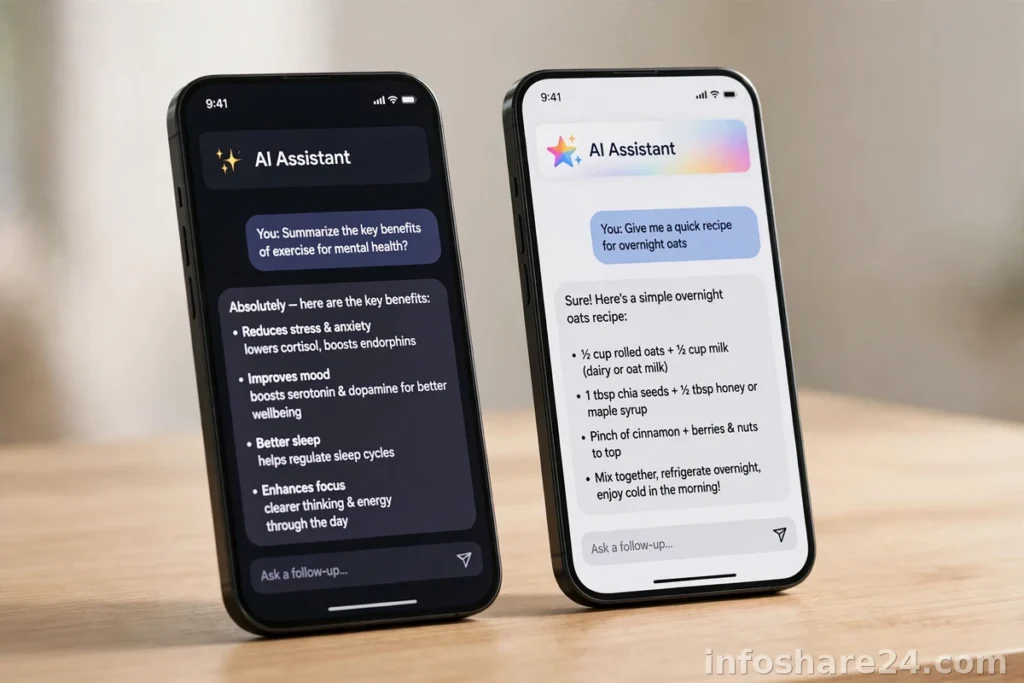
Gemini is Google’s AI, at gemini.google.com and in the Gemini app, and it works best with Gmail, Google Docs and Google Drive. ChatGPT is OpenAI’s AI, at chatgpt.com and in the ChatGPT app — the more flexible all-rounder, with custom GPTs and strong coding help.
Both have a free plan and a main paid plan at about the same price — around $20 a month. Both can chat, search the web, read files, make images and talk by voice. The differences are which model you get for free, how much you can use, and which apps each connects to.
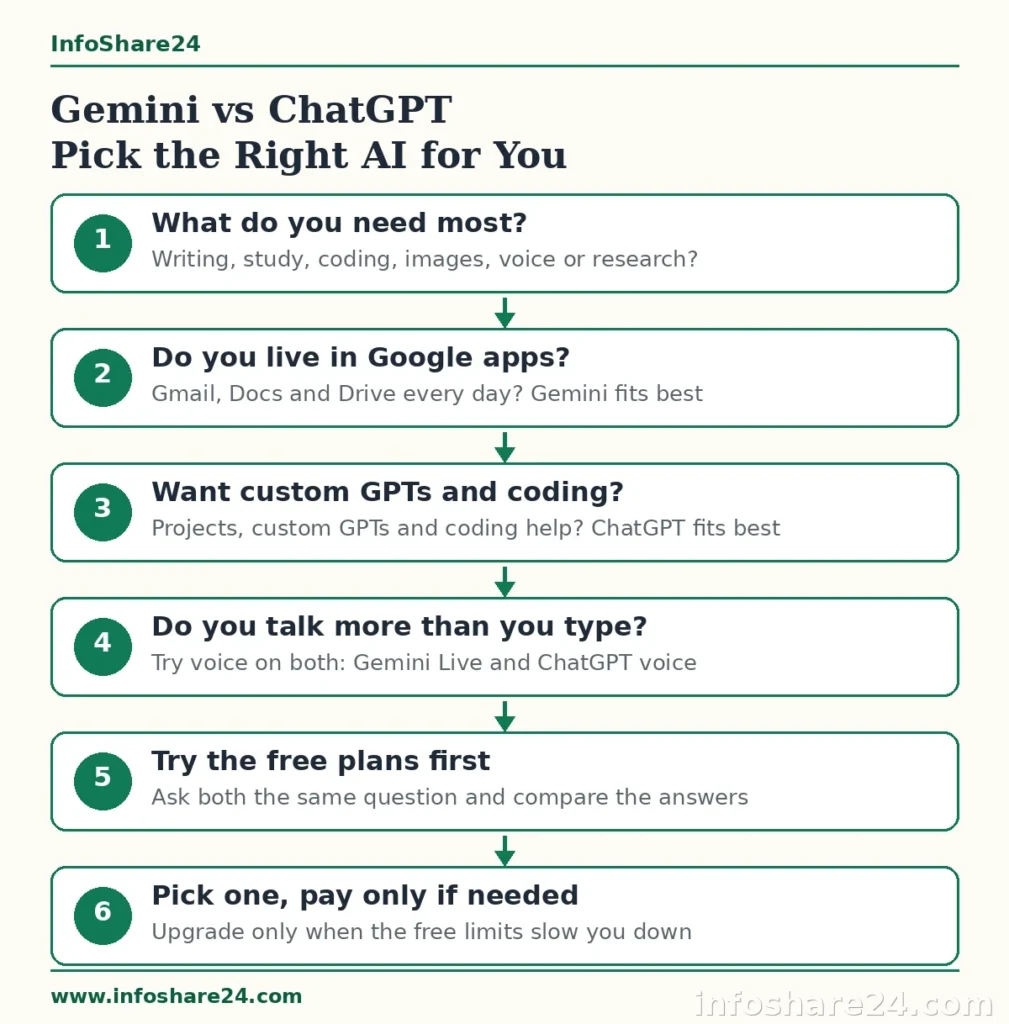
Gemini vs ChatGPT: Pick the Right AI in 5 Steps
- Write down your top three uses. Be specific: “summarise emails”, “help with maths homework”, “write product descriptions”. Mostly Google apps? Lean Gemini. Coding? Lean ChatGPT.
- Ask both the same question. Type the same real prompt into both — something from your day, not a test question. Keep the clearer, easier answer.
- Test voice once. Tap the microphone in each app and ask a question out loud. Gemini Live is included free; ChatGPT’s voice is good too, but limited on the free plan.
- Try one picture and one file. Ask each app to make a simple image, then upload a PDF and ask a question about it. See which one handles your real files better.
- Pay only when free slows you down. If you keep hitting “limit reached” messages, that is the moment to pay.
What Is Free, and What Costs Money?
Prices below are US list prices, before tax, as of November 2026 — check the official plan pages, OpenAI’s ChatGPT pricing and Google’s AI plans, before you pay, as they change often.
ChatGPT Free costs $0: unlimited everyday text chats with a lighter model, plus limited uploads, images, voice and deep research. Go costs $8 a month for more of the same, but still the lighter model, and ads may appear. Plus costs $20 a month: the stronger GPT-6 models, deep research, coding help, custom GPTs and Projects, and no ads. Pro costs $100 to $500 a month for heavy users.
Gemini Free costs $0 with a Google Account. Since October 2026, free accounts mostly run on the lighter Flash-Lite model, with a 32,000-token context window — roughly 48 pages of text — plus 15 GB of storage. Google AI Plus costs $4.99 a month and doubles your limits with 400 GB of storage. Google AI Pro costs $19.99 a month: four times the free limits, the stronger Gemini 4 models, a 1-million-token window, Gemini inside Gmail and Docs, and 5 TB of storage. Paid plans also bundle cloud storage, which ChatGPT does not.
Where Gemini Wins: Google Apps and Research
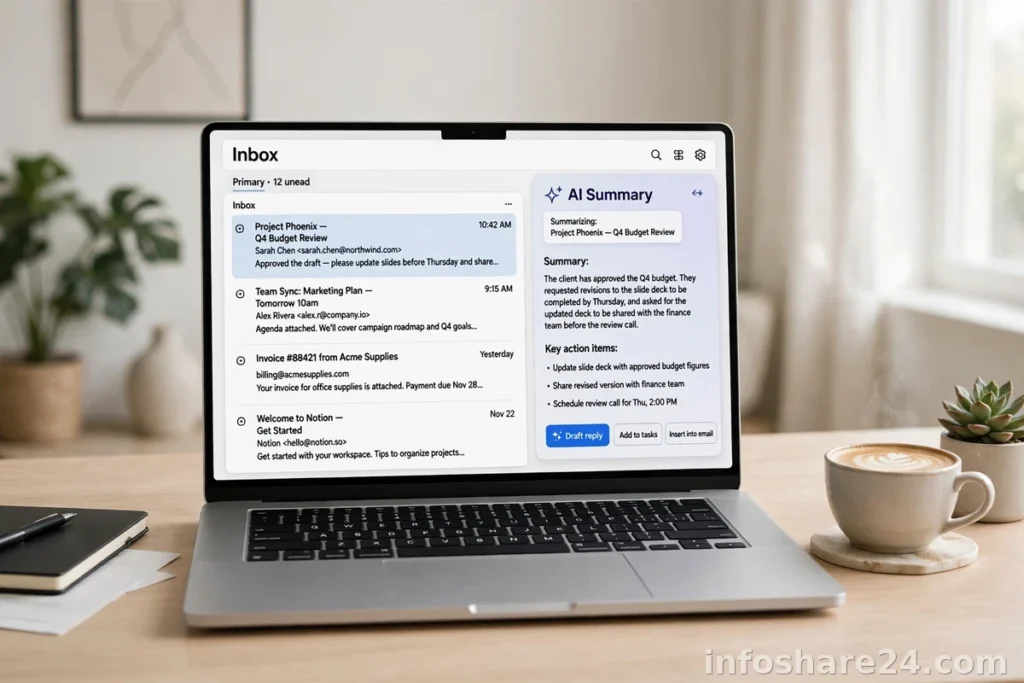
Gemini’s biggest advantage is simple: it lives where your work already is. If your email and documents are in Google’s apps, Gemini can help inside them — summarise an email thread in Gmail, draft a letter in Docs, or find a file in Drive. New to Gemini? Start with How to Use Gemini Notebook for Beginners.
Gemini is also strong at research: its Deep Research feature is free, reads many web pages and returns a report with sources you can check.
Where ChatGPT Wins: Custom GPTs, Coding and Conversation
ChatGPT’s biggest advantage is flexibility. On the Plus plan you can build custom GPTs — your own mini-assistants with special instructions — and use thousands of GPTs other people have shared. Its Projects feature keeps chats and files for one job together.
It is also the stronger coding helper: it explains errors and walks through code step by step. New to ChatGPT? Read How to Use ChatGPT for Beginners first. Whichever app you pick, short, clear prompts get better results than long, vague ones — see How to Write Better Prompts for AI Chatbots: A Beginner’s Guide.
Talking to AI: Voice and Live Chat

Both apps let you talk instead of type — try them yourself, because voices feel different to different people.
Gemini Live is the friendlier deal: natural back-and-forth conversation, included on the free plan, and on Android it can see your screen or camera.
ChatGPT’s voice is polished and natural too. But free-plan voice minutes are limited. Try a real task in each and keep the voice you enjoy listening to.
Pictures and Creative Work

Both apps can create and edit pictures from a text description, and both include image generation on their free plans, with limits. ChatGPT is the stronger image maker: it handles text inside pictures better, and Plus raises the limits. Gemini’s image editing is the fun one to try: upload a photo and ask it to change the background — its Nano Banana editing keeps the subject looking like the original.
Neither app replaces a real designer, and both sometimes get small details wrong. Check every image before you post it or send it to a client.
Privacy and Trust: Check Before You Believe

AI chatbots are helpful, but not always right. Both can sound confident while giving a wrong date, price or made-up fact. Never trust an important answer — a medical dose, a legal deadline, a money figure — without checking it. Our guide How to Check If an AI Answer Is Accurate Before You Trust It shows a three-minute check that catches most mistakes.
Privacy matters too. Both apps save your chats by default, and both let you control that: ChatGPT has memory controls — see What Is ChatGPT Memory and How to Control It — and Gemini has activity controls. Never paste passwords, bank details or ID numbers into any AI chatbot. Note the free-plan trade-off: ChatGPT has been testing ads on its free plan, while Gemini’s free plan has no ads.
I Tested the Same Question in Both
I asked both apps the same question on their free plans on 29 November 2026: “Write a 3-line summary of why regular exercise helps sleep, in simple English.”
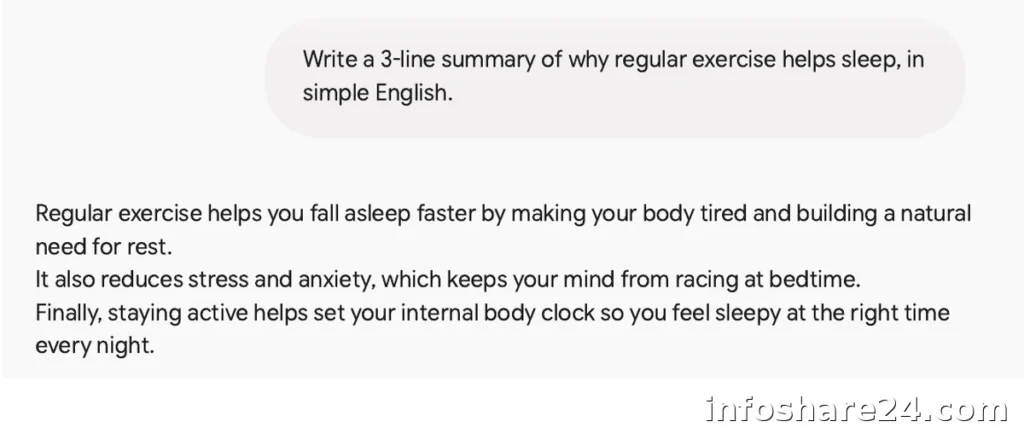
Gemini answered in three clear lines — exercise tires the body, lowers stress and anxiety, and sets the body clock so you feel sleepy at the right time.
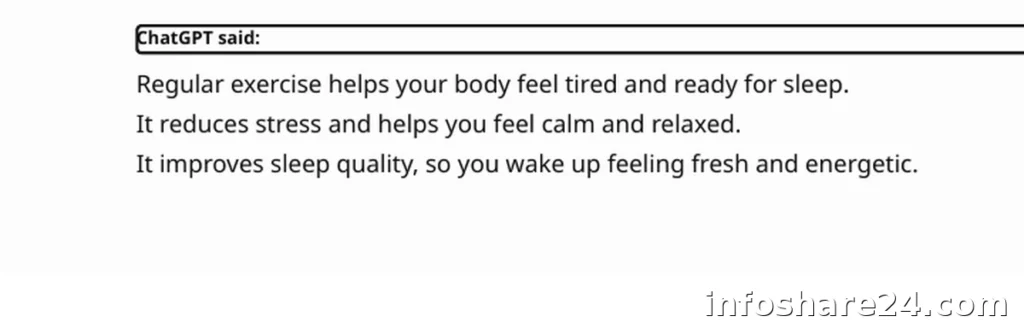
ChatGPT answered in three lines too — exercise tires the body, reduces stress so you feel calm, and improves sleep quality so you wake up fresh.
Both answers were good and easy to read. Gemini’s was a little more detailed, ChatGPT’s a little simpler. For a simple question like this, either one does the job — try your own real question in both and keep the answer you like better.
Gemini vs ChatGPT: Which One Should You Use?
The simple verdict, as of November 2026:
- Pick Gemini if you live in Gmail, Docs and Drive, you want research with sources, or you want the cheapest paid step up at $4.99 a month.
- Pick ChatGPT if you want custom GPTs and Projects, you code or write a lot, or you want the strongest image generation.
- Pick both if you cannot decide — they are both free, and many people use each one for what it does best.
Prices and models will change again. What matters is how you use your pick: ask clear questions, check important answers, and keep private information out of the chat.
Frequently Asked Questions
Is Gemini really free?
Yes. Anyone with a Google Account can use Gemini free — chat, images, Deep Research, Gemini Live and Canvas — mostly on the lighter Flash-Lite model.
Is ChatGPT free?
Yes. ChatGPT Free costs nothing and gives you unlimited everyday text chats, with limited uploads, images, voice and deep research.
Can I use both Gemini and ChatGPT?
Yes, and many people do. Both free plans work side by side, so ask both the same question and keep the better answer.
Conclusion
Gemini vs ChatGPT is not a fight with one winner — it is a choice between two good tools. Start free, test both with your real questions, and pay only when the free limits slow you down.